UpMenu alternatives: Count the cost before you switch
 R. Fennel, Forcked.comNovember 18, 2026 · 2,452 words
UpMenu alternatives are worth comparing with your order history open, not just a list of monthly prices. UpMenu’s current price list shows US$49 a month for its web-ordering module with 75 orders, US$89 for 210, and US$169 for unlimited orders. Additional orders can cost US$1.90 each. The cheapest button on the pricing page is not necessarily the cheapest way to finish your month. There is another reason to review the setup now: UpMenu’s October 2026 European payments update says its legacy PayU and Stripe integrations remain available only until December 31, 2026. That is a payment-integration change, not an announcement that UpMenu is closing. You may need a new payment setup rather than a new platform. Here is how I would separate those decisions before a busy service makes them for you.
TL;DR
- Count orders before comparing subscriptions. UpMenu’s current US-dollar web-ordering limits are 75, 210 and unlimited; extra orders can change the bill.
- Match the job, not the word “free”. A menu website, a WhatsApp handoff and an integrated paid order are different services.
- European payment users: check the December deadline. Confirm your gateway migration with UpMenu before deciding whether to replace the platform.
Why compare UpMenu alternatives now?
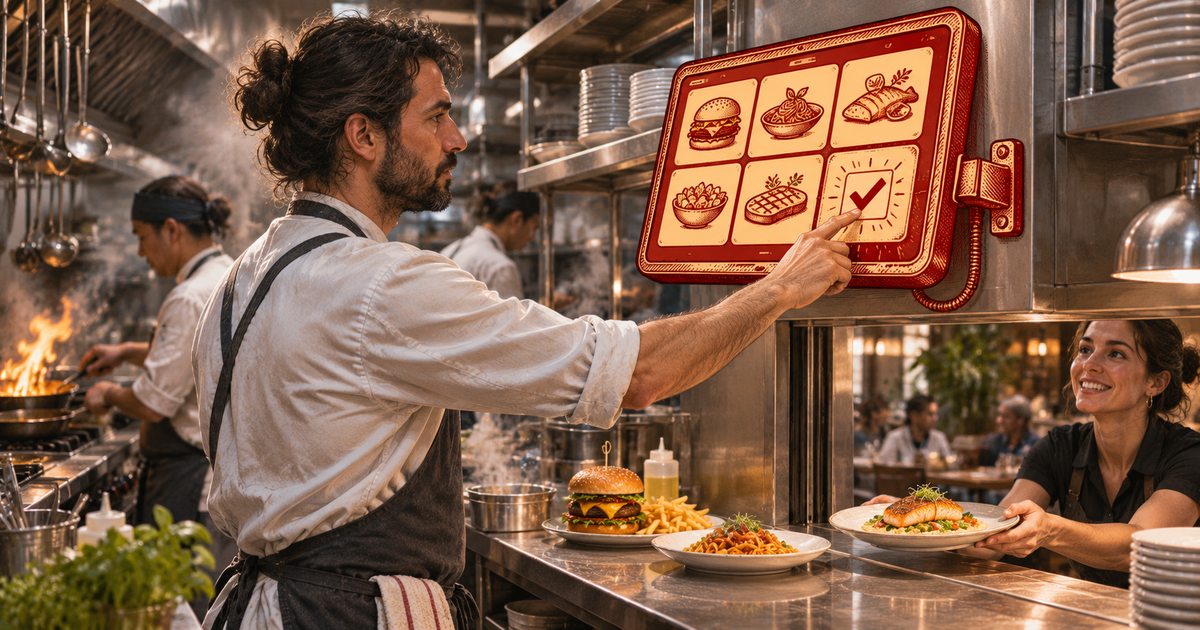
UpMenu is changing what a restaurant can run inside it. Its November 2026 product updates list new POS, kitchen-display, order-status-display and scheduling modules. In practical terms, a cook can finish an order on a kitchen screen and let the front of house know it is ready, while the business manages more of the shift in one system. That is a stronger reason to reassess your setup than another vendor saying its dashboard is simpler.
The same updates page separates launched features from a roadmap. The kiosk and caller-ID modules are marked coming soon, as are several January 2027 marketing changes. Do not buy tomorrow’s service to fix tonight’s problem. Put the exact features you need into a trial and check whether they are usable in your account.
There is a more immediate issue for European users. The October payments update describes a replacement for PayU and Stripe in Europe, including cards, Apple Pay and Google Pay. It asks existing users to move to the new online-payment system and gives December 31, 2026 as the end date for the old integrations. Ask UpMenu which countries and accounts this affects, what your new transaction fees will be, and what happens to refunds and outstanding payouts. A general product notice is not a personalized migration confirmation.
I would not turn that into a blanket instruction to leave. If UpMenu already sends clean orders to your kitchen, keeps your delivery rules straight and gives staff one place to work, changing a payment connection may be far less disruptive than rebuilding the operation. The strongest case for staying is the work you do not have to repeat: modifiers, customer records, printers, staff training and all the little exceptions that never make the demo.
Compare alternatives if the cost at your real volume is wrong, the workflow is missing something you need, or you are paying for an operation you no longer run. For a café that just needs a readable menu, a full ordering backend may be unnecessary. For a takeaway with a busy delivery line, a prettier menu is not a replacement for order routing. The menu does not come down to the pass and shout that the curry has no rice.
This is separate from GloriaFood’s announced 2027 shutdown. UpMenu’s notice concerns particular payment integrations. Keep the two stories separate when a supplier offers to “rescue” your restaurant.
UpMenu pricing: what do 75 orders really buy?
As checked on November 18, 2026, UpMenu’s own US-dollar pricing page lists web ordering at US$49, US$89 or US$169 per location per month, with limits of 75, 210 or unlimited orders respectively. Its detailed table describes an order-and-reservation limit, so confirm what counts toward your allowance if you also take bookings. Some comparison pages still describe different allowances. Use the current price list and your actual quote.
The published price for additional orders and reservations is US$1.90 each. The FAQ explains the operational consequence: enable “Accept additional orders” and excess usage is added to the next invoice; disable it and further online orders or reservations stop when you reach the limit. Those are very different ways to discover that Friday went well. Decide which behavior you want and show the manager on duty where that setting lives.
At 100 orders in a month, with no reservations, the US$49 option plus 25 extra orders comes to US$96.50 for web ordering. The US$89 tier covers those 100 orders for less. At 300 orders, the difference is larger:
UpMenu web ordering · US$ per location per month
This is arithmetic from the published rates, not a forecast of what your restaurant will sell. It excludes payment processing, other modules and tax. It also assumes additional orders are enabled and charged at the listed rate; ask the provider how plan changes and any adjustments are applied to your billing period before relying on a switch halfway through the month.
Then price the rest of the system. UpMenu currently lists its website module at US$1 per location, loyalty at US$19, marketing tools at US$9 and a branded mobile app at US$49 a month. The POS is US$29 per station and the KDS US$19 per station. The site says prices are monthly, net of VAT or GST, and modules can be changed or cancelled. That makes the unit matter as much as the amount: two kitchen stations are not one location-priced subscription.
For example, US$49 web ordering plus the US$1 website, US$19 loyalty and US$9 marketing modules is US$78 a month before overages, processing and tax. Email and SMS usage also have separate published charges. You may not need those modules. That is the point: compare your basket of tools, not the smallest number on the page.
Keep a second column for payment costs. “Commission-free” describes a platform’s order commission; it does not make card processing, delivery, chargebacks, hardware or setup disappear. For Europe, obtain the terms for the new UpMenu payment service in your country. Do not reuse an old Stripe rate simply because it is already in your spreadsheet.
Which UpMenu alternatives fit your restaurant?
I would shortlist by the job that needs replacing. The four options below are not four versions of the same product, and that is useful: they show when changing to a smaller tool saves money and when it simply hands the missing work to your staff. Prices and features were checked against the providers’ own public pages on November 18, 2026. Square figures are for its US offering; confirm availability, currency, taxes and payment terms for your location.
| Alternative | Published starting cost | What to check |
|---|---|---|
| Square, US | US$0 Free; US$49 Plus; US$149 Premium per location/month | Online processing, hardware and the restaurant features on your chosen plan. |
| ChowNow | Launch from US$249/month, or US$229/month billed annually | Processing, setup, diner pricing and which ordering/marketing features are included. |
| CloudWaitress | Free account: 100 orders and bookings combined/month | Obtain current paid pricing; verify payment and printer requirements. |
| Nommy | Free self-serve core; optional add-ons | Menu/website and WhatsApp handoff versus a complete payment-and-ordering backend. |
Square: start here if you want ordering and the counter in the same ecosystem. Its US pricing page lists Free at US$0, Plus at US$49 and Premium at US$149 per location per month. An online site and POS are part of the offer. The published online-payment rate is 3.3% plus US$0.30 on Free, compared with 2.9% plus US$0.30 on Plus and Premium. Hardware and optional services need their own line in the quote.
Those rates make “free” a volume question. In a hypothetical month of 500 online payments at US$30 each, the stated Free processing rate produces US$645 in processing charges. Plus produces US$585 in processing plus its US$49 subscription, or US$634. That is a US$11 difference before any other costs or features, not a promise about your bill. Low-volume restaurants may reasonably prefer Free; a larger operation should run its own numbers. Our restaurant contactless-payments guide covers the broader checkout choices.
ChowNow: compare a managed ordering-and-marketing package, not just a menu. Its current pricing page starts Launch at US$249 a month with monthly billing, or US$229 a month when billed annually. Grow and Elevate start higher. The page lists online ordering, a website and a branded app within its package comparison, with POS integrations and support. Verify your exact POS and the plan covering the features you will use.
The same page lists additional charges, including a US$119–US$499 setup fee and 2.95% plus US$0.29 per transaction. Its commission-free wording is qualified by Profit Protector being enabled. ChowNow’s support explanation says this feature automatically adjusts menu pricing to offset Discovery Network fees. That protects the restaurant’s margin by changing what the diner pays; it does not make the underlying cost vanish. Ask which channels are affected, what diners will see at checkout, and how delivery, the app-store account and printer hardware are charged. A managed service can be worth a larger subscription if it removes work you actually do. It is poor value if most of the package will sit untouched.
CloudWaitress: investigate a dedicated ordering system with a small-volume entry point. Its pricing FAQ says free accounts have a combined monthly limit of 100 orders and bookings. Its product page describes pickup, delivery, dine-in QR ordering, reservations and automated receipt printing. That makes it a more relevant operational comparison than a display-only menu.
Do not turn that into an unlimited-free claim. Obtain the current paid subscription price, what happens at the free limit, and the payment and printer requirements before comparing it with an UpMenu quote. We verified the 100-order-and-booking allowance from its own FAQ, but could not verify a current paid subscription price during this check. Test your actual delivery area, modifiers and printer rather than assuming an advertised integration matches your hardware.
Nommy: consider it when your real need is a website and menu, with a lighter ordering handoff. On its own UpMenu comparison, Nommy describes a free self-serve website, digital menu and QR-code offering. It also describes cart-to-WhatsApp pickup and delivery ordering, or links to an existing ordering service. Its listed custom-domain and remove-branding add-ons are each US$5 a month or US$48 a year.
A cart sent to WhatsApp is a different job from an automatically paid order routed into the kitchen. If staff already handle WhatsApp orders and that works, a lighter front end may be all you need. If your aim is to remove re-entry and chase fewer payment messages, confirm the whole workflow before cancelling an operational backend. Do not mistake the ability to display a menu for a guarantee that payment, delivery dispatch and kitchen routing are included.
The same caution applies to building a stack from separate menu, email and texting tools. It can be a sensible choice. Someone still has to maintain the links, match the customer records and work out which service failed when an order goes missing. Our restaurant tech-stack guide is a useful starting point for mapping those handoffs.
How do you switch without losing orders?

Start with a written inventory of what is live. Record the website and ordering addresses, domain access, printed QR codes, Google Business Profile links, social links, delivery zones, minimum spends, taxes, fees, opening hours, menu modifiers, sold-out rules and printer routes. Include reservations and loyalty if you use them. The restaurant with the shortest menu can still have a very long list of exceptions.
Request usable exports before cancelling anything. Ask specifically about menus, customers, order history, loyalty balances and consent fields. Open the files and check the columns, not just that a download completed. Then ask the replacement provider what it can import, what has to be rebuilt, what it will charge and who is responsible for checking the result. Neither a sales promise of “your data” nor a screenshot is the same as a working import.
Keep payment migration separate from menu migration. For an affected European UpMenu account, first confirm whether moving to UpMenu’s new payment service solves the immediate December deadline. If you still choose another system, confirm verification requirements, payout timing, the first live transaction and how you will handle refunds for old orders. Do not close the old account while you still need its records or access to unresolved transactions.
Then run a real rehearsal on the intended plan and hardware. Place a pickup order with modifiers, a scheduled order and a delivery order on the edge of your service area. Try a sold-out item. Check the kitchen ticket, tax, fees, confirmation, cancellation and refund path. If you use online payments, make and reconcile a permitted small live test rather than treating a successful-looking checkout screen as proof that funds arrive correctly.
Give the test to the person who will be on shift, not just the owner who watched the demo. Can a new order be noticed in a noisy room? Does it reach the right preparation station? Can staff stop orders when the kitchen is full? Does a failed print have a recovery path? A system that saves a subscription but adds manual re-entry at the pass has not saved the work.
Choose a quiet cutover window. Update the website button and every customer-facing destination, then replace or redirect the printed QR codes. Scan one from a real table with a normal customer phone. Keep a rollback plan that says exactly which link or setting goes back if orders stop arriving. Do not leave two systems accepting the same channel without a clear handover; duplicate tickets are not a loyalty strategy.
Before signing, get the order limit, overage rule, processing rate, customer-facing fees, delivery costs, setup charges, hardware charges and cancellation terms in writing for your country and location count. Add the staff time required to operate each option. Then compare the total at your normal volume and your busy-month volume.
My choice would be the smallest system that completes the whole job reliably. That may be a lighter website, a dedicated ordering service, a POS-led setup or the UpMenu configuration you already have. Count the cost of staying. Count the cost of moving. Then make the change that will still look sensible halfway through Saturday service.