
Clover POS for Restaurants: Complete 2025 Review & Buying Guide

Clover is one of the most widely deployed POS systems in the world — but is it the right choice for restaurants? Unlike Toast or Square, Clover sells through resellers, which creates both opportunities and risks.
Here's everything you need to know about using Clover for your restaurant.
Clover at a Glance
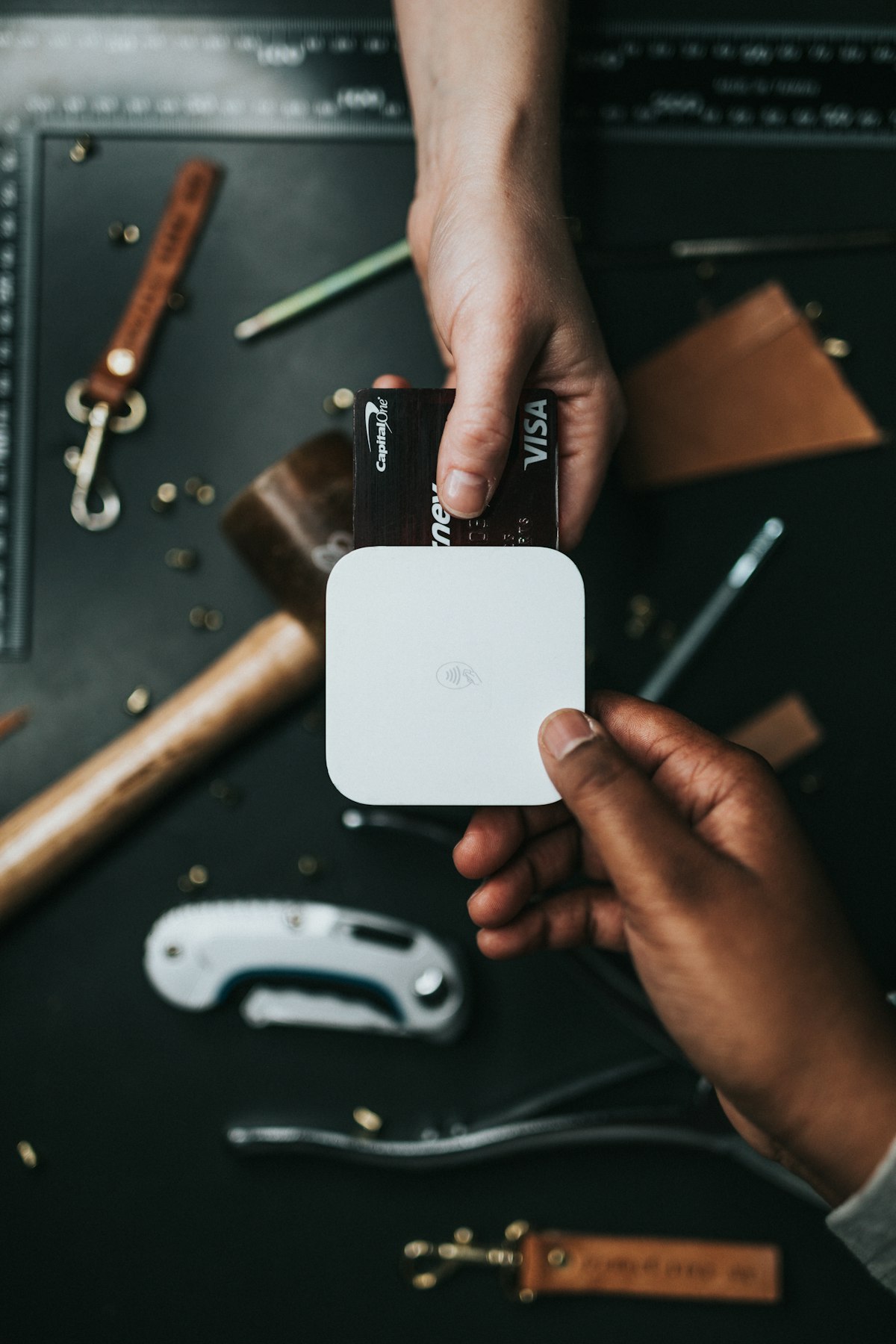 Clover offers a range of hardware options from compact readers to full stations
Overall Rating: 3.5/5
| Category | Score |
|---|---|
| Features | ★★★☆☆ |
| Hardware | ★★★★★ |
| Pricing | ★★★☆☆ |
| Restaurant-Specific | ★★★☆☆ |
| Flexibility | ★★★★★ |
Best for: Small restaurants wanting hardware flexibility and local reseller support.
Skip if: You want purpose-built restaurant software — Toast, Square, or Lightspeed are better choices.
What Makes Clover Different
 Understanding Clover's unique market position
Clover isn't a restaurant POS company like Toast or TouchBistro. It's a hardware and software platform owned by Fiserv (one of the largest payment processors globally) that can be customized for different industries.
The Reseller Model
The biggest difference with Clover is how it's sold:
- Not sold direct — You buy through banks, payment processors, or authorized resellers
- Pricing varies widely — Different resellers charge different rates
- Support quality varies — Depends on your reseller relationship
- Customization possible — Resellers can build custom solutions
This means two restaurants using Clover might have completely different experiences depending on who sold them the system.
Hardware Options
 Clover's hardware lineup includes stations, handhelds, and compact devices
Clover's hardware is genuinely excellent — probably its biggest strength:
Clover Station Duo
- 14" merchant screen + 8" customer screen
- Full cash drawer and receipt printer
- Best for full-service restaurants
$1,649or lease options
Clover Station Solo
- 14" merchant screen only
- Great for counter-service
$1,349or lease options
Clover Mini
- Compact countertop device
- Good for small cafés
$749or lease options
Clover Flex
- Handheld device for tableside
- Built-in printer
$599or lease options
Clover Go
- Mobile card reader
- Connects to phone/tablet
$49
The hardware quality is high, and the range of options provides genuine flexibility.
Restaurant Features
 Clover can work for restaurants but requires apps and customization
Out of the box, Clover isn't as restaurant-focused as Toast or Square for Restaurants. However, you can add restaurant functionality through apps:
Built-In Features
- Order entry and checkout
- Table management (basic)
- Employee management
- Inventory tracking (basic)
- Reporting and analytics
- Payment processing
- Customer database
Restaurant Apps Available
The Clover App Market includes restaurant-specific apps:
- Clover Dining — Table management and coursing
- OrderFlow — Kitchen display integration
- Menu Manager — Visual menu building
- Waitlist — Guest management
- Gift cards and loyalty — Various options
The app ecosystem means you can customize your setup, but it also means more complexity and potentially more monthly fees.
Pricing
 Understanding Clover's complex pricing structure
This is where Clover gets confusing. Pricing depends entirely on your reseller.
Typical Pricing Ranges
| Component | Typical Range |
|---|---|
| Software Plans | $0-165/month |
| Additional Apps | $10-100/month each |
| Processing Rates | 2.3-3.5% + $0.10 |
| Hardware | $49-1,649+ |
Direct vs. Reseller Pricing
Clover.com pricing:
- Starter:
$0/month (limited features, higher processing) - Standard:
$60/month - Advanced:
$135/month
Reseller pricing varies — some bundle hardware leases, some offer lower processing rates, some charge more overall. Always get quotes from multiple sources.
Hidden Cost Alert
Many resellers sell Clover through hardware leases that:
- Lock you in for 3-4 years
- Cost more than buying outright
- Don't let you keep the hardware when you cancel
- Include cancellation fees
Always ask: "Can I buy the hardware outright, and what are the cancellation terms?"
Pros and Cons
 Weighing the advantages and disadvantages
What We Like
✅ Excellent hardware — High-quality, reliable devices
✅ Payment flexibility — Can negotiate processing rates
✅ App ecosystem — Customize for your specific needs
✅ Local support option — Good resellers provide hands-on help
✅ Wide acceptance — Training resources and community available
✅ Enterprise-capable — Scales to multi-location operations
What We Don't Like
❌ Not restaurant-first — Generic platform requiring customization
❌ Confusing pricing — Varies by reseller
❌ App dependency — Key features require paid add-ons
❌ Lease trap risk — Bad resellers push predatory leases
❌ Variable support — Quality depends on your reseller
❌ Complex ecosystem — More to manage than integrated solutions
Who Should Use Clover?
 Clover works best when you have a good reseller relationship
Ideal Customers
- Simple counter-service restaurants not needing advanced table management
- Restaurants with existing Fiserv/Clover reseller relationships
- Operators wanting local support from a trusted reseller
- Multi-concept businesses that need flexible hardware
- Those who want to negotiate processing rates
Not Ideal For
- Full-service restaurants needing robust table management
- New restaurant owners who want simple, integrated solutions
- Anyone approached by aggressive lease salespeople
- Restaurants needing advanced kitchen display integration
Clover vs. Competitors
 How Clover stacks up against the competition
Clover vs. Toast
| Factor | Clover | Toast |
|---|---|---|
| Restaurant Focus | Generic | Restaurant-specific |
| Hardware | Multiple options | Toast proprietary |
| Pricing | Varies by reseller | Published (mostly) |
| Features | Via apps | Integrated |
| Best For | Flexibility | Full-service restaurants |
Verdict: Toast is better for restaurants wanting purpose-built software. Clover offers more hardware flexibility but requires more customization.
Clover vs. Square
| Factor | Clover | Square |
|---|---|---|
| Pricing Transparency | Low | High |
| Hardware | More options | Limited |
| Free Plan | Limited | Full-featured |
| Restaurant Features | Via apps | Built-in |
Verdict: Square is better for most restaurants. More transparent, simpler, and restaurant-ready. Clover is better if you want specific hardware or have a good reseller. See our Toast vs Square comparison.
Buying Guide: How to Get Clover Right
 Essential tips for purchasing Clover
If you decide Clover is right for you, follow these rules:
1. Buy Hardware Outright
Never sign a hardware lease. Buy the equipment outright or finance through a transparent loan. Leases typically cost 2-3x the hardware value.
2. Get Multiple Quotes
Contact at least 3 different Clover resellers. Compare:
- Hardware costs
- Monthly software fees
- Processing rates
- Contract terms
- Cancellation fees
3. Check Reseller Reviews
Research your potential reseller thoroughly. Look for:
- Google reviews
- BBB rating
- How long they've been in business
- References from other restaurants
4. Understand the App Stack
Before committing, identify exactly which apps you'll need and their costs. Common restaurant needs:
- Table management
- Kitchen display
- Online ordering
- Loyalty program
- Gift cards
Add up the total monthly cost including apps.
5. Get Contract Terms in Writing
Ensure you have clear documentation of:
- Monthly costs (all-in)
- Processing rates
- Contract length
- Cancellation terms and fees
- What happens to hardware if you cancel
Restaurant Apps Worth Considering
 Clover's app marketplace adds restaurant-specific functionality
If you go with Clover, these apps enhance restaurant functionality:
For Table Management
- Clover Dining — Official Clover restaurant app
- Table Manager — Third-party alternative
For Kitchen Operations
- OrderFlow KDS — Kitchen display system
- Prep Station — Order routing
For Online Ordering
- OrderCommando — Commission-free online ordering
- GloriaFood — Free ordering system
For Customer Engagement
- Clover Rewards — Built-in loyalty
- FiveStars — Third-party loyalty platform
Alternatives to Consider
 Better options for most restaurants
For most restaurants, these options are better than Clover:
- Square for Restaurants: Transparent pricing, restaurant-ready
- Toast POS: Purpose-built for restaurants
- Lightspeed Restaurant: Advanced inventory and analytics
- TouchBistro: Reliable iPad-based solution
- Fuudey: QR ordering without full POS
Frequently Asked Questions
 Common questions about Clover POS
Is Clover good for restaurants?
Clover can work for restaurants but isn't purpose-built for them. You'll need to add apps for table management, coursing, and kitchen display — features that Toast or Square include by default.
Why does Clover pricing vary so much?
Clover sells through resellers who set their own prices. This creates opportunity (negotiate better rates) and risk (predatory pricing from bad resellers).
Can I keep Clover hardware if I cancel?
If you bought it outright, yes. If you leased it, typically no — and you may owe remaining payments.
Is Clover from my bank a good deal?
Not necessarily. Banks often partner with Clover resellers and may not offer competitive rates. Compare with other sources.
Does Clover work offline?
Yes, Clover devices can process payments offline temporarily, though some features require internet connectivity.
Conclusion
Clover is flexible but requires careful evaluation and the right reseller
Clover is a capable POS platform with excellent hardware, but it's not the best choice for most restaurants. The reseller model creates pricing confusion, and you'll need to add apps to match the restaurant-specific features that Toast, Square, and Lightspeed include by default.
Our verdict: Consider Clover if you have a trusted reseller relationship, want specific hardware options, or need to negotiate processing rates. Otherwise, choose a restaurant-focused solution like Square for Restaurants (budget) or Toast (full-featured).
If you mainly need digital menus and QR ordering, you may not need a full POS at all — Fuudey offers these features at a fraction of the cost.
More Articles
AI-Powered Restaurant Inventory Forecasting: Reduce Waste and Boost Profits
Discover how AI inventory forecasting predicts demand, optimizes orders, and reduces food waste. Machine learning tools for smarter restaurant inventory management.
Appetito Menu Review: Multilingual QR Menus for Restaurants

Complete Appetito Menu review covering multilingual QR menu features, pricing, setup process, and how it compares to Fuudey, Menu Tiger, and alternatives.
Best Free QR Code Menu Generator in 2025 (7+ Reviewed)

We tested 8 free QR code menu generators including Fuudey, QR Menu Creator, Menuu, ScanIt.menu, and more. Full comparison with pricing, features, and honest reviews.