
Lightspeed Restaurant POS Review 2025: Features, Pricing & Verdict

Lightspeed Restaurant POS consistently ranks as one of the top point-of-sale systems for restaurants — but at $139-319/month, it's also one of the more expensive options. Is it worth the premium?
After testing the platform and analyzing real restaurant owner experiences, here's our complete Lightspeed Restaurant review for 2025.
Lightspeed Restaurant at a Glance
 Lightspeed runs on iOS devices, offering a clean, intuitive interface for staff
Overall Rating: 4.5/5
| Category | Score |
|---|---|
| Features | ★★★★★ |
| Ease of Use | ★★★★★ |
| Pricing | ★★★☆☆ |
| Customer Support | ★★★★☆ |
| Integrations | ★★★★★ |
Best for: Multi-location restaurants, full-service operations, and restaurants wanting advanced inventory and analytics without Toast's contractual lock-in.
Skip if: You're a small café on a tight budget, or you need Android device support.
What Makes Lightspeed Stand Out
 What sets Lightspeed apart from competitors
Lightspeed has several advantages that justify its premium positioning:
1. Ingredient-Level Inventory Management
Unlike most POS systems that track finished items, Lightspeed tracks at the ingredient level. When a customer orders a burger, the system automatically deducts the bun, patty, lettuce, tomato, and condiments from your inventory.
This means:
- Accurate food cost tracking
- Automatic low-stock alerts
- Reduced waste from over-ordering
- Better profit margin visibility
2. Intuitive Interface
Lightspeed's interface is exceptionally user-friendly. Staff can learn the system in hours rather than days. The visual floor plan, drag-and-drop menu builder, and clean checkout flow reduce training time significantly.
3. QR Code Ordering Built-In
 Lightspeed's QR code ordering lets customers order and pay from their phones
Lightspeed includes contactless ordering capabilities where customers can:
- Scan a table-specific QR code
- View your menu on their device
- Place orders directly
- Pay without waiting for the check
This reduces labor costs and increases table turnover — a major ROI driver for busy restaurants.
4. Multi-Location Support
For restaurant groups, Lightspeed offers centralized management across all locations:
- Single dashboard for all sites
- Menu changes sync across locations
- Consolidated reporting
- Inventory transfers between locations
Pricing Breakdown
 Lightspeed's reporting tools help owners make data-driven decisions
Lightspeed's pricing is based on the number of locations:
| Plan | Monthly Cost | What's Included |
|---|---|---|
| Starter | $139/month | Core POS, basic reporting |
| Essential | $189/month | + Advanced reporting, inventory |
| Premium | $319/month | + Multiple revenue centers, API access |
Per additional register: $59/month
Payment processing: Lightspeed requires you to use their integrated payment processing. Rates typically range from 2.6% + $0.10, competitive with industry standards.
What's Not Included
Some features require additional costs:
- Advanced inventory: Included in Essential and above
- Loyalty program: Add-on (
$79/month) - E-commerce integration: Included in Premium
- Kitchen Display System: Hardware cost only
Total Cost Example
For a single-location full-service restaurant with 2 registers:
| Component | Monthly Cost |
|---|---|
| Essential Plan | $189 |
| Additional Register | $59 |
| Total | $248/month |
For comparison, Square for Restaurants Plus is $60/month, and Toast's comparable plan is around $165+/month. Lightspeed is premium-priced but delivers premium features.
Feature Deep Dive
 Deep dive into Lightspeed's capabilities
Menu Management
Lightspeed's menu builder is powerful and flexible:
- Unlimited items and categories
- Modifier groups with required/optional settings
- Time-based menus (auto-switch between lunch and dinner)
- Item photos that display to customers and staff
- Quick 86-ing when items run out
The conversational modifier system is particularly impressive. Instead of generic buttons, staff can select "add," "side," "no," or custom prefixes for each modifier — creating clearer kitchen tickets.
Table Management
 Lightspeed's floor plan builder maps your exact restaurant layout
The visual floor plan lets you:
- Design your exact restaurant layout
- See table status at a glance (occupied, open, needs attention)
- Move orders between tables with drag-and-drop
- Split checks by seat or item
- Track table turn times
For full-service restaurants, this visual approach significantly improves host and server efficiency.
Inventory Management
This is where Lightspeed truly excels. The ingredient-level tracking means:
- Recipe building: Define exactly what goes into each menu item
- Automatic deductions: Inventory updates with every sale
- Waste tracking: Log spills, comps, and mistakes
- Vendor management: Create purchase orders directly in the system
- Multi-location transfers: Move inventory between restaurants
Reporting and Analytics
Lightspeed's analytics go beyond basic sales reports:
- Product performance: Which items sell best (and which don't)
- Staff performance: Sales per employee, tips, labor cost percentage
- Customer insights: Purchase history, visit frequency, average spend
- Peak hour analysis: Optimize staffing based on actual data
- Food cost reporting: Track theoretical vs. actual food costs
The dashboards are visual and actionable, not just walls of numbers.
Integrations
Lightspeed connects with numerous third-party tools:
- Delivery: DoorDash, UberEats, Grubhub (via Deliverect)
- Reservations: OpenTable, Resy, Yelp
- Accounting: QuickBooks, Xero
- Staff scheduling: 7shifts, HotSchedules
- Marketing: Mailchimp, Klaviyo
- E-commerce: Lightspeed eCom for online ordering
Pros and Cons
 Advantages and disadvantages to consider
What We Like
✅ Industry-leading inventory management — ingredient-level tracking is a game-changer for controlling food costs
✅ Intuitive interface — minimal training required for new staff
✅ Strong multi-location support — centralized control with location-specific flexibility
✅ Flexible hardware — works with standard iOS devices (iPads, iPhones)
✅ No long-term contracts — month-to-month billing
✅ Excellent reporting — actionable insights, not just data dumps
✅ QR code ordering included — no extra cost for contactless dining
What We Don't Like
❌ iOS only — no Android support, limiting hardware options
❌ Premium pricing — expensive compared to Square and even Toast
❌ Required payment processing — can't use your own processor
❌ Loyalty is an add-on — $79/month extra for loyalty features
❌ Learning curve for inventory — setting up ingredient tracking takes time
❌ Limited offline mode — heavy reliance on internet connectivity
Lightspeed vs. Competitors
 How Lightspeed compares to alternatives
Lightspeed vs. Toast
| Factor | Lightspeed | Toast |
|---|---|---|
| Starting Price | $139/month | $0-69/month |
| Contracts | Month-to-month | Often 2 years |
| Hardware | iOS devices | Toast proprietary only |
| Inventory | Ingredient-level | Item-level |
| Best For | Multi-location, inventory focus | Full-service, ecosystem lock-in |
Verdict: Lightspeed offers more flexibility and better inventory tools. Toast offers a lower entry price but locks you into their ecosystem. See our full Toast vs Square comparison for more context.
Lightspeed vs. Square
| Factor | Lightspeed | Square |
|---|---|---|
| Starting Price | $139/month | $0-60/month |
| Best For | Complex operations | Simple operations |
| Inventory | Ingredient-level | Item-level |
| Reporting | More detailed | Good but basic |
Verdict: Square is better for simple, budget-conscious operations. Lightspeed is better for restaurants needing advanced features.
Who Should Use Lightspeed?
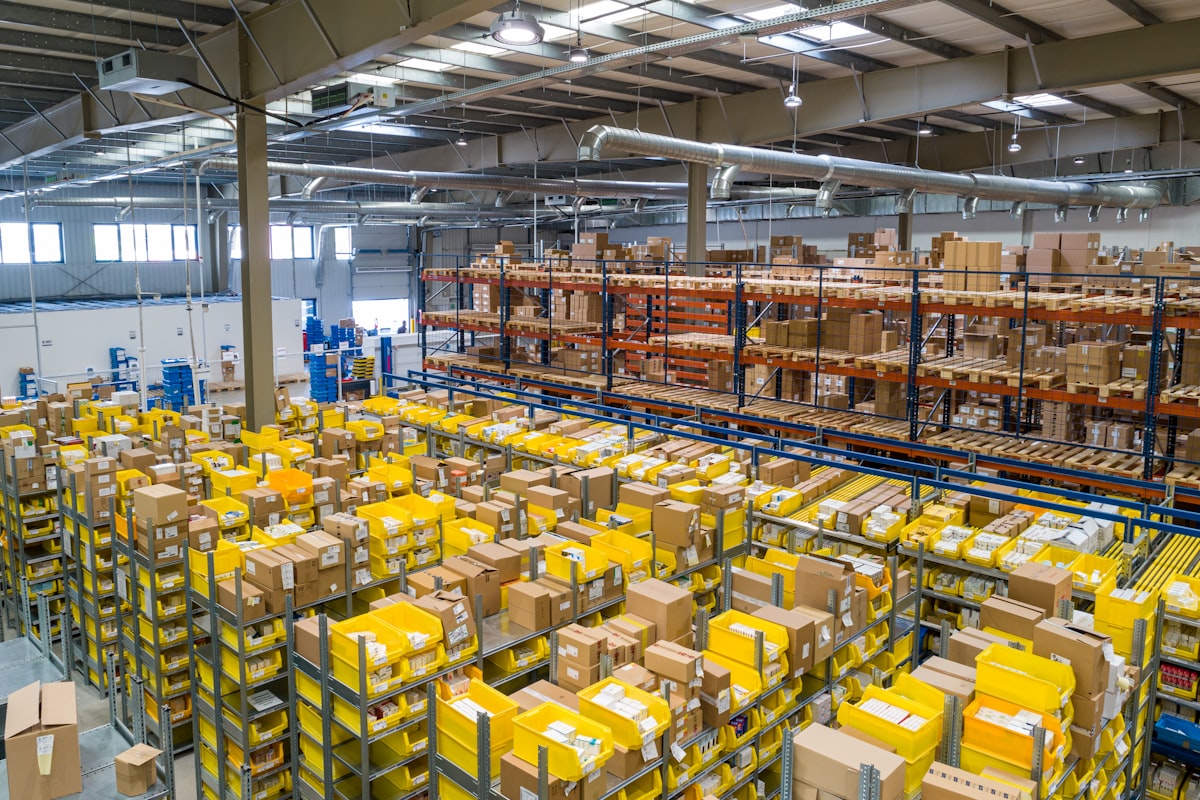 Lightspeed's ingredient-level inventory tracking helps restaurants control costs
Ideal Customers
- Multi-location restaurant groups needing centralized management
- Full-service restaurants with complex menus and coursing
- Restaurants focused on food cost control wanting ingredient-level tracking
- Operators seeking flexibility who want to avoid long contracts
- Quick-service chains needing speed and consistency
Not Ideal For
- Very small cafés where the cost outweighs the features
- Android users — Lightspeed is iOS-only
- Extremely budget-conscious operators — Square is more affordable
- Simple counter-service operations that don't need advanced features
Getting Started with Lightspeed
 How to implement Lightspeed in your restaurant
If you decide Lightspeed is right for you:
- Request a demo at lightspeed.com
- Choose your plan based on locations and needed features
- Purchase or configure hardware (iPad, stands, card readers)
- Set up your menu — plan to spend 2-4 hours building items and modifiers
- Configure inventory — this takes longer but pays off in the long run
- Train staff — most teams are comfortable within a day
- Go live — Lightspeed offers onboarding support
Alternatives to Consider
 Other options worth exploring
If Lightspeed doesn't fit your needs:
- Square for Restaurants: Best budget-friendly option for simpler operations
- Toast POS: Feature-rich but requires hardware lock-in
- TouchBistro: Good middle-ground for iPad-based POS
- Fuudey: If you mainly need QR ordering without a full POS
Frequently Asked Questions
 Common questions about Lightspeed
Does Lightspeed work offline?
Limited offline functionality exists, but Lightspeed is designed for connected use. You can take orders offline temporarily, but many features require internet.
Can I use my own payment processor?
No, Lightspeed requires you to use their integrated payments. This is common among modern cloud POS systems and ensures full integration.
Is there a free trial?
Lightspeed offers demos and sometimes limited trials. Contact their sales team for current offers.
How long does setup take?
Basic setup takes 1-2 days. Full setup with ingredient-level inventory can take 1-2 weeks depending on menu complexity.
Does Lightspeed integrate with delivery apps?
Yes, through Deliverect, Lightspeed connects with DoorDash, UberEats, Grubhub, and other delivery platforms.
Conclusion
Lightspeed is a premium POS that delivers premium value for the right restaurants
Lightspeed Restaurant POS earns its reputation as a top-tier restaurant management platform. The ingredient-level inventory, intuitive interface, and strong multi-location support justify the premium pricing for restaurants that need these features.
Our verdict: If you run a full-service restaurant or restaurant group and want powerful inventory control without long-term contracts, Lightspeed is an excellent choice. If budget is your primary concern or your operation is simple, consider Square for Restaurants instead.
The best POS is the one that matches your specific needs. Lightspeed excels for complex, growth-oriented operations — and for those restaurants, it delivers strong ROI despite the higher sticker price.
More Articles
AI-Powered Restaurant Inventory Forecasting: Reduce Waste and Boost Profits
Discover how AI inventory forecasting predicts demand, optimizes orders, and reduces food waste. Machine learning tools for smarter restaurant inventory management.
Appetito Menu Review: Multilingual QR Menus for Restaurants

Complete Appetito Menu review covering multilingual QR menu features, pricing, setup process, and how it compares to Fuudey, Menu Tiger, and alternatives.
Best Free QR Code Menu Generator in 2025 (7+ Reviewed)

We tested 8 free QR code menu generators including Fuudey, QR Menu Creator, Menuu, ScanIt.menu, and more. Full comparison with pricing, features, and honest reviews.