
Restaurant Customer Feedback Systems: How to Collect, Analyze, and Act on Guest Reviews
Every restaurant operator knows the sinking feeling of discovering a 1-star Google review posted three weeks ago that you never saw. By the time you respond, the damage is done: potential guests read the review, saw no reply, and chose a competitor.
Modern restaurant feedback systems solve this problem by capturing guest sentiment at the right moment, routing negative feedback privately, and amplifying positive experiences into public reviews. Here's how the best systems work and how to choose the right one for your operation.
The Two Phases of Restaurant Feedback
 Capturing feedback while guests are still at the table gives you the highest response rates and most actionable data
Effective feedback management has two distinct phases — and most operators only focus on one.
Phase 1: In-the-moment capture — Getting feedback from guests while they're still in your restaurant or immediately after leaving. This is where you intercept problems before they become public reviews.
Phase 2: Public reputation management — Monitoring and responding to reviews on Google, Yelp, TripAdvisor, and other platforms that influence how new guests choose where to eat.
Most operators react to public reviews but don't invest in capturing feedback earlier in the journey. Flipping this prioritization — putting more energy into Phase 1 — is where the highest ROI lives.
In-Restaurant Feedback Collection Methods
 Table QR codes offer friction-free survey access without requiring apps or sign-ups
QR Code Surveys
The simplest and most effective in-restaurant feedback method. Place QR codes on tables, receipts, or checkout counters that link directly to a short survey. Three to five questions maximum.
What makes QR surveys work:
- No app to download
- Takes under 90 seconds to complete
- Can be customized per visit type (dine-in vs. takeout)
- Automatic routing: positive responses prompt for a Google review; negative responses go privately to management
Tools that make this easy: Popmenu, Ovation, and SurveyMonkey for Restaurants all offer QR survey solutions with smart routing built in.
Digital Receipts with Survey Links
If your POS sends digital receipts (many modern systems do by default), embedding a short feedback link at the bottom is a no-effort addition. Guests who opted into digital receipts are typically your most tech-comfortable customers — and more likely to complete the survey.
Tableside Feedback Devices
Physical devices — small tablets mounted at tables or checkout counters — allow immediate tap-to-rate feedback. Common in fast casual and quick service. The smiley face options may look simple, but aggregate data across hundreds of interactions reveals meaningful patterns.
Restaurants that use tableside devices report 3–4x higher feedback volume compared to email surveys, though the data is shallower (ratings vs. open-ended comments).
Review Monitoring and Response Platforms
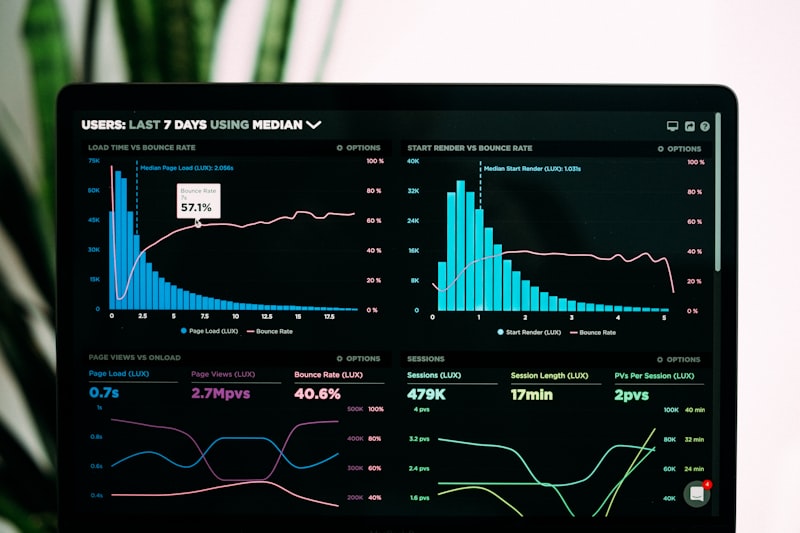 Centralized review monitoring prevents missed reviews across Google, Yelp, TripAdvisor, and delivery platforms
Why Response Rate Matters
Google's own guidelines suggest that responding to reviews signals an active, engaged business. But beyond algorithms, guest behavior bears this out: 53% of guests expect a response to negative reviews within one week, and businesses that respond to reviews earn 12% more reviews on average.
More importantly, potential guests read your responses — not just the reviews. A thoughtful, professional response to a negative review often does more to build trust than a positive review would.
Tools for Review Management
Birdeye — Comprehensive reputation management platform used by multi-unit restaurant groups. Pulls reviews from 150+ sources, sends real-time alerts, and offers AI-suggested responses. Strong reporting for enterprise operators.
Podium — Popular for SMS-based review collection. After a visit, customers receive a text asking about their experience. Positive responses get routed to Google review prompts. Strong conversion rates because text messages have higher open rates than emails.
ReviewTrackers — Focuses on analytics and competitive benchmarking. Useful for understanding how your ratings compare to competitors in your market.
Google Business Profile (free) — Don't overlook the basics. Setting up Google Business Profile notifications for new reviews and responding directly is free and takes minutes to set up.
How Smart Feedback Routing Works
 Smart routing intercepts negative feedback before it reaches public platforms — the core value proposition of modern feedback tools
The most valuable feature in modern feedback platforms is conditional routing — also called "sentiment gating."
Here's how it works:
- Guest scans QR code or receives feedback request via text/email
- They rate their experience (typically 1–5 stars or happy/neutral/unhappy)
- If rating is positive: System redirects them to Google, Yelp, or TripAdvisor to leave a public review
- If rating is negative: Response stays private and routes to a manager alert
This creates a one-way valve: happy guests amplify your reputation publicly; unhappy guests go into your internal feedback queue for service recovery.
Service recovery is where the real magic happens. A guest who posts a negative private review and receives a personal call from the manager within 24 hours has a high probability of becoming a loyal regular. Operators report that 60–70% of recovered guests return — and many actively promote the restaurant after having their issue addressed.
Integrating Feedback with Your POS and CRM
 Connecting feedback data to purchase history reveals which menu items, servers, or service patterns drive negative experiences
The next level of feedback sophistication: connecting guest feedback to specific transactions in your POS.
When a negative review links to a specific check, you can see:
- Which server was on that table
- What was ordered and whether any items were comped
- How long the table waited between courses
- Whether this guest has visited before and how their past experiences rated
This closes the loop between feedback data and operational improvement. Platforms like Ovation and SevenRooms offer this type of POS integration for restaurants that want to move from reactive to proactive feedback management.
Delivery Platform Feedback: A Different Challenge
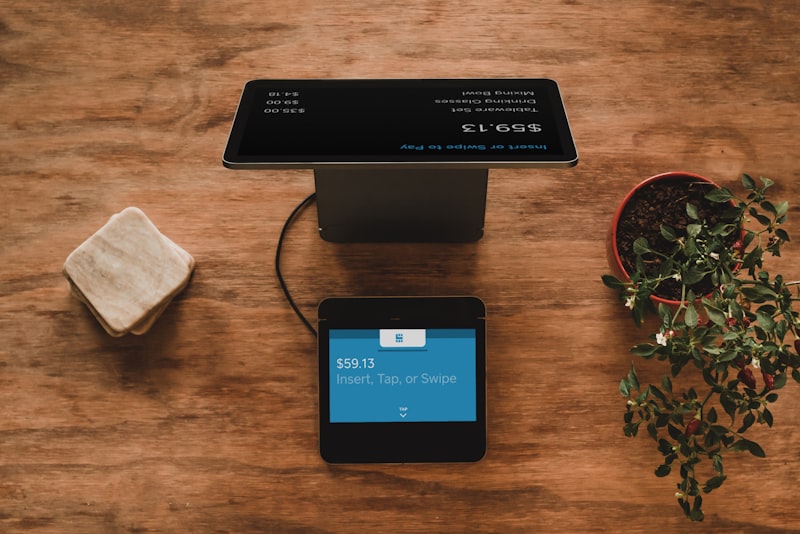 Delivery platform ratings are public and algorithm-driven — poor ratings directly reduce your order visibility
Delivery app ratings (DoorDash, Uber Eats, Grubhub) operate differently from dine-in review management. They're tied directly to algorithm visibility: restaurants below a 4.2–4.4 rating threshold on most platforms see significantly reduced impression share in search results.
Key actions for managing delivery ratings:
- Respond to reviews — all major delivery platforms now allow owner responses
- Monitor for packaging failures — food arriving cold or damaged is a packaging/handoff issue, not necessarily a food quality issue
- Track items with high negative feedback — delivery-specific menu adjustments (cutting items that don't travel well) can dramatically improve ratings
- Use order accuracy tools — systems like QSR Automations' ConnectSmart can verify order completion before bags are sealed
Building Your Feedback System
Start simple — a QR code survey with smart routing and Google review prompting is enough to transform your online reputation
You don't need a complex enterprise platform to start. Here's a phased approach:
Month 1 — Basics: Set up Google Business Profile alerts. Respond to every review within 48 hours. Set a QR code feedback link (even a free Google Form works to start).
Month 2–3 — Capture and Route: Implement a dedicated feedback tool (Ovation and Podium offer 30-day trials). Set up smart routing. Train FOH staff to prompt feedback requests at checkout.
Month 4+ — Analyze and Act: Review feedback data weekly. Identify patterns. Make operational changes based on what guests consistently report. Close the loop with team training.
Conclusion
 The best feedback system is one your team actually uses to make decisions — not just a dashboard collecting data
The goal of a feedback system isn't to collect five-star reviews. It's to learn what's working, catch problems early, and retain guests who had a subpar experience before they tell their friends.
Operators who build systematic feedback loops see measurable results: higher ratings, more reviews, lower guest churn. The technology is a means to an end — but the end is a restaurant where guests feel heard and return.
Start with the basics, measure the results, and build from there.
More Articles
AI-Powered Restaurant Inventory Forecasting: Reduce Waste and Boost Profits
Discover how AI inventory forecasting predicts demand, optimizes orders, and reduces food waste. Machine learning tools for smarter restaurant inventory management.
Appetito Menu Review: Multilingual QR Menus for Restaurants

Complete Appetito Menu review covering multilingual QR menu features, pricing, setup process, and how it compares to Fuudey, Menu Tiger, and alternatives.
Best Free QR Code Menu Generator in 2025 (7+ Reviewed)

We tested 8 free QR code menu generators including Fuudey, QR Menu Creator, Menuu, ScanIt.menu, and more. Full comparison with pricing, features, and honest reviews.