
How to Set Up Contactless Ordering for Your Restaurant (Complete 2026 Guide)
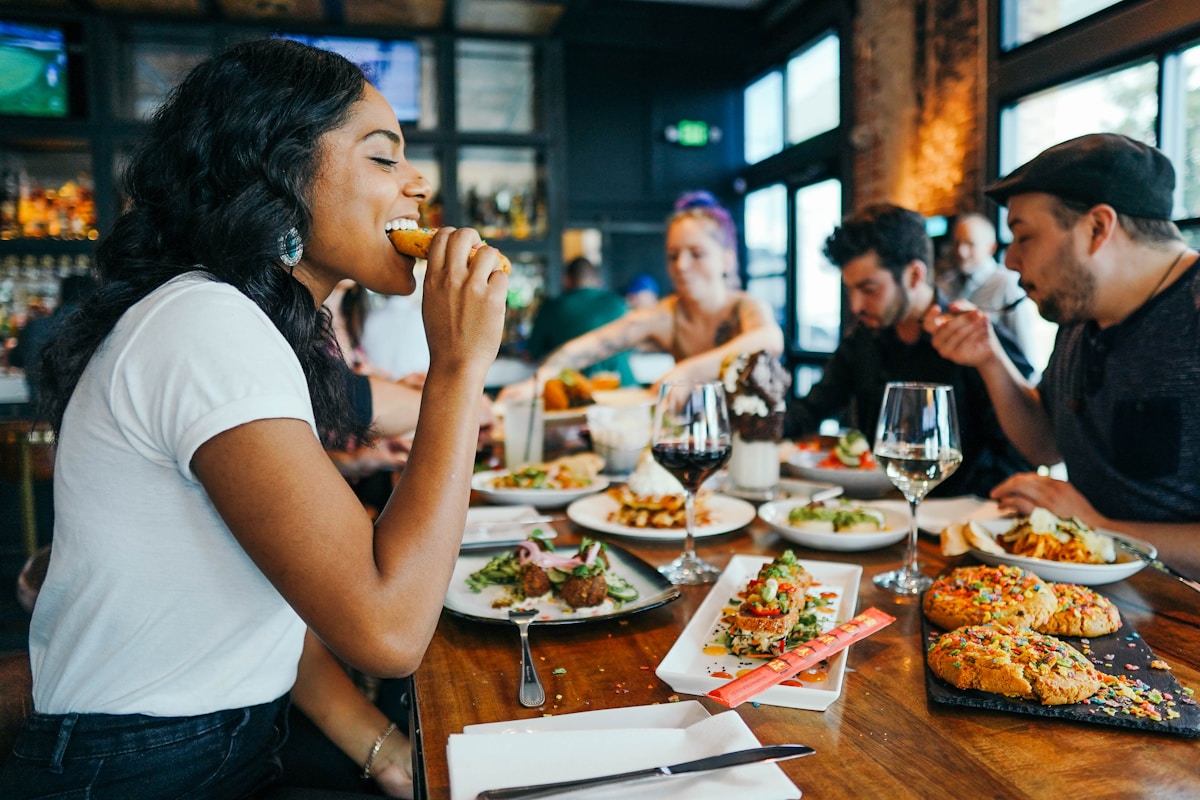
Contactless ordering isn't just a pandemic response anymore — it's become the standard customers expect. This guide covers everything you need to implement contactless dining at your restaurant.
What Is Contactless Ordering?
 Contactless ordering reduces physical touchpoints throughout the dining experience
Contactless ordering eliminates physical interactions during the ordering process:
- No paper menus — Customers view menus on their phones
- No waiting for servers — Orders placed directly from the table
- No card handling — Payments processed through phone
- No shared touchpoints — Each customer uses their own device
The technology stack typically includes QR codes, mobile-optimized menus, online ordering systems, and contactless payment processing.
Why Restaurants Are Going Contactless
 The benefits of contactless ordering go beyond health and safety
Beyond health considerations, contactless ordering offers tangible benefits:
Operational Efficiency
- Faster table turns — No waiting for menus or servers to take orders
- Reduced errors — Orders go directly to kitchen, no miscommunication
- Lower labor dependency — Staff handles fewer routine tasks
- Better peak handling — System scales with demand
Customer Experience
- Browse at own pace — No pressure from waiting servers
- Visual menus — Photos drive higher-value orders
- Instant ordering — Place order when ready
- Pay when done — No waiting for the check
Revenue Impact
According to Nation's Restaurant News, restaurants using contactless ordering report:
- 8-15% higher average tickets
- 20-30% faster table turns
- 50% reduction in order errors
Components of a Contactless System
 A complete contactless system connects menus, ordering, and payments
A full contactless implementation includes:
1. QR Code Menus
Customers scan a code to view your menu on their phone. Options include:
- View-only menus — Customer browses, staff takes order
- Order-enabled menus — Customer orders directly from phone
- Full-service menus — Order, pay, and track from phone
See our QR menu generator comparison for platform options.
2. Mobile Ordering System
Orders submitted from customer phones go to:
- Kitchen display systems (KDS)
- POS terminals
- Staff tablets
- Order management apps
Integration varies by platform — some work standalone, others integrate with existing POS.
3. Contactless Payments
Payment options include:
- In-app payment — Pay through ordering system
- Mobile wallets — Apple Pay, Google Pay at table
- Tap-to-pay terminals — Server brings reader to table
- NFC table devices — Fixed payment points per table
4. Kitchen Integration
Orders need to reach your kitchen efficiently:
- Direct to KDS (best)
- Prints to kitchen printer
- Displays on staff tablet
- Manual entry to POS (least efficient)
Step-by-Step Implementation
 Plan your implementation before purchasing any technology
Phase 1: Assessment (Week 1)
Before choosing technology, understand your needs:
Document Current Flow
- How do customers currently receive menus?
- How are orders taken and transmitted to kitchen?
- What's your current payment process?
- What POS system do you use?
Identify Pain Points
- Where do bottlenecks occur?
- What generates the most customer complaints?
- Which processes are error-prone?
Set Goals
- Reduce order time by X%
- Increase average ticket by $Y
- Handle Z% more covers at peak
Phase 2: Technology Selection (Week 2)
Choose platforms based on your assessment:
Standalone QR Menu + Ordering
Best for: Restaurants keeping existing POS
Options:
- Fuudey — Free tier, QR ordering
- Menu Tiger — QR ordering focused
- GloriaFood — Free online ordering
Integrated POS with QR Features
Best for: Restaurants upgrading entire system
Options:
- Square for Restaurants — Free tier available
- Lightspeed — Premium features
- Toast — Note the fee controversies
Phase 3: Menu Digitization (Week 3)
Convert your menu to digital format:
Photography
- Photograph every menu item
- Use natural lighting
- Maintain consistent styling
- Include portion context
Content
- Accurate descriptions
- All pricing including modifiers
- Allergen information
- Dietary labels (V, VG, GF)
Organization
- Logical category structure
- Popular items prominently placed
- Clear navigation
See our QR menu creation guide for detailed steps.
Phase 4: Physical Setup (Week 4)
Prepare your space for contactless ordering:
QR Code Placement
- One code per table (minimum)
- Eye-level visibility
- Protected from spills (laminate or acrylic)
- Include brief instructions
WiFi Assessment
- Test connectivity at all tables
- Consider signal boosters if needed
- Guest WiFi network recommended
Staff Equipment
- Tablets for monitoring orders
- Backup for technical issues
- Portable payment terminals if needed
Phase 5: Staff Training (Week 5)
Your team needs to support the new system:
What Staff Needs to Know
- How to assist customers with scanning
- Order flow and notification handling
- Payment processing steps
- Troubleshooting common issues
New Service Flow
- Greet and explain QR option
- Monitor for assistance requests
- Deliver food and check satisfaction
- Handle payment or direct to app payment
Backup Procedures
- How to take orders if system fails
- Paper menu backup locations
- Manual payment processing
Phase 6: Soft Launch (Week 6)
Test before full rollout:
- Offer contactless as option (not requirement)
- Collect customer feedback
- Identify technical issues
- Refine processes
Phase 7: Full Implementation
Once tested:
- Make contactless the default
- Keep paper menus available on request
- Continue monitoring and optimizing
- Analyze order data for insights
Handling Common Challenges
 Plan for objections and edge cases before launch
"I Don't Have a Smartphone"
Solution: Maintain 10-15 paper menus. Staff can take orders traditionally for these customers. Usually under 5% of guests.
"The WiFi Isn't Working"
Solution: Ensure strong WiFi coverage. Consider a dedicated guest network. Test connectivity at all table locations.
"I Prefer Talking to a Server"
Solution: Position contactless as an option, not a replacement. Servers still engage customers — they just don't need to take orders or process payments manually.
"The QR Code Won't Scan"
Solution: Ensure codes are printed large enough (minimum 2.5cm square). Keep surfaces clean. Provide backup URL for manual entry.
"My Elderly Customers Won't Use This"
Solution: Staff can assist with scanning and browsing. For regular elderly customers, staff can take orders traditionally while others use contactless.
Optimizing Your Contactless Setup
 Continuously improve your contactless ordering experience
Once implemented, continuously improve:
Analyze Order Data
Your digital system provides insights paper never could:
- Most/least ordered items
- Peak ordering times
- Average browse-to-order time
- Modifier attachment rates
Use this data to optimize menu placement and pricing.
A/B Test Menu Changes
Digital menus allow easy testing:
- Try different item descriptions
- Test photo variations
- Experiment with category order
- Adjust pricing and measure impact
Monitor Customer Feedback
Track satisfaction with the new system:
- Direct feedback to staff
- Review mentions of ordering experience
- Survey willing customers
- Watch for patterns in complaints
Cost Expectations
Budget for both technology and implementation costs
Technology Costs
| Component | Free Option | Paid Option |
|---|---|---|
| QR Menu Platform | Fuudey, Menu Tiger | $9-99/month |
| Ordering Integration | Basic tiers | $29-199/month |
| Payment Processing | 2.6%+ per txn | Same |
| Kitchen Display | Staff tablets | $500-2000/device |
Implementation Costs
| Item | DIY Cost | Professional |
|---|---|---|
| Menu Photography | $0-200 | $500-1500 |
| QR Code Printing | $50-100 | $100-300 |
| Staff Training | Time | $500-2000 |
| WiFi Upgrade | Varies | $200-1000 |
Total typical investment: $500-5,000 depending on complexity and existing infrastructure.
Frequently Asked Questions
 Common questions about contactless ordering implementation
How long does implementation take?
A basic QR menu can launch in one day. Full contactless ordering with POS integration typically takes 4-6 weeks for proper implementation.
Will this replace my servers?
No — it changes their role. Servers focus on hospitality, food delivery, and customer experience rather than order-taking and payment processing.
What if my POS doesn't integrate?
Standalone ordering systems work alongside any POS. Orders appear on tablets/printers, and staff manually closes checks. Not ideal but workable.
Can I use contactless for just some tables?
Yes — many restaurants designate certain areas as contactless while maintaining traditional service elsewhere. Useful for testing.
How do I handle tips?
Digital payment systems include tip options. Most show suggested tip percentages at checkout. Tips typically increase with digital tipping.
Conclusion
 Contactless ordering is now standard in modern restaurants
Contactless ordering has moved from novelty to expectation. Customers appreciate the convenience, restaurants benefit from efficiency gains, and the technology is now affordable for any size operation.
Start with a free QR menu platform like Fuudey or follow our complete setup guide. For integrated solutions, review our POS comparison to find systems with built-in contactless features.
The restaurants winning today are those that blend technology with hospitality — making ordering effortless while maintaining the human touch that keeps customers coming back.
More Articles
AI-Powered Restaurant Inventory Forecasting: Reduce Waste and Boost Profits
Discover how AI inventory forecasting predicts demand, optimizes orders, and reduces food waste. Machine learning tools for smarter restaurant inventory management.
Appetito Menu Review: Multilingual QR Menus for Restaurants

Complete Appetito Menu review covering multilingual QR menu features, pricing, setup process, and how it compares to Fuudey, Menu Tiger, and alternatives.
Best Free QR Code Menu Generator in 2025 (7+ Reviewed)

We tested 8 free QR code menu generators including Fuudey, QR Menu Creator, Menuu, ScanIt.menu, and more. Full comparison with pricing, features, and honest reviews.